How to Check FMCSA Operating Authority and Insurance in Motus
Checking a motor carrier’s insurance is not the same as confirming its identity, USDOT registration, or operating authority. A reliable review answers each question separately and uses the current Federal Motor Carrier Safety Administration (FMCSA) record.
There is also an important 2026 system change: FMCSA says its legacy Licensing & Insurance (L&I) system has been historical-only since May 14, 2026, and filings or carrier-record activity after May 18, 2026 should be checked in Motus. This guide shows the current workflow and the fields that deserve attention.
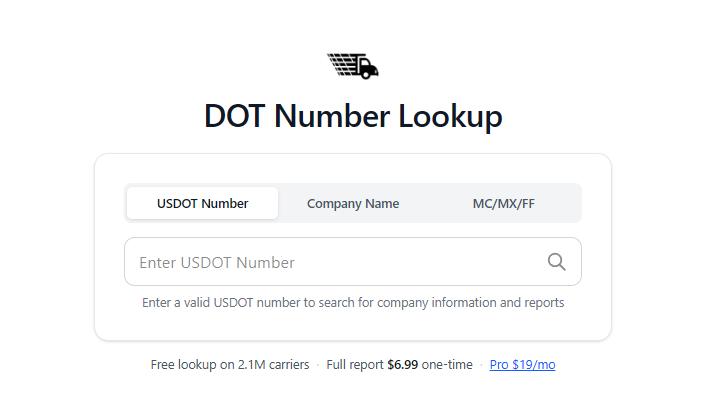
Quick answer: Start with a USDOTData carrier lookup to identify the company and gather its USDOT number. Then open the official Motus public company search, find the exact entity, expand Operating Authority Registration(s), select the authority relevant to the work, and review its status, status reason, minimum insurance, active filings, BOC-3 details, and history. Save the date and time of the check.
This article is informational, not legal advice. Use the live FMCSA record for regulatory decisions and ask FMCSA or a qualified professional when a record is unclear.
What changed from L&I to Motus in 2026?
FMCSA launched Motus as its modernized USDOT registration system. The agency’s Move into Motus overview says public users can search an entity’s registration record there. Its current registration FAQ says L&I is now available only for historical motor-carrier records and does not reflect Motus filings.
That distinction matters. An L&I page can still be useful when researching older activity, but it should not be treated as the complete current source for a filing made after the transition.
Use:
- Motus for the current public registration record and post-transition activity;
- legacy L&I only when you need historical context that is not yet represented elsewhere;
- SAFER Company Snapshot for company identity, USDOT status, and safety-oriented fields;
- USDOTData for a readable starting point, carrier discovery, and links across the carrier record.
Our broader guide to looking up a DOT number and verifying a motor carrier covers identity, safety, and fraud checks. The process below goes deeper on authority and insurance.
Step 1: identify the exact carrier
Begin with the most precise identifier available. An exact USDOT number is safer than a company-name match because legal names can be similar and a carrier may also use a DBA name.
Use the free USDOTData lookup to search by USDOT number or company. If the name is common, Advanced Search can help narrow the result. Compare the legal name, DBA name, address, phone, and docket number with the information you were given.
If you only have an MC or MX number, use USDOTData or the official SAFER Company Snapshot to identify the associated USDOT number before moving to Motus.
Do not proceed because one field looks familiar. Resolve material differences between the contract, carrier packet, invoice, insurance certificate, and public record.
Step 2: search the current Motus record
Open the official Motus public search. The public search accepts:
- an exact USDOT number;
- the beginning of a legal business name; or
- the beginning of a DBA name.
A USDOT search is normally the fastest and least ambiguous. Open the matching result and confirm the legal business name and address before interpreting status fields.
Motus displays an overall Active or Inactive label near the USDOT number. Treat that as the company’s registration-level status—not as proof that every operating authority or insurance filing required for a particular job is active.
Step 3: check the authority needed for the work
Expand Operating Authority Registration(s). Motus lists each authority separately, including:
- the operating-authority type;
- its MC, FF, or MX docket number when applicable; and
- its current status.
A company can hold more than one authority. An active broker authority does not substitute for active motor-carrier authority, and one carrier authority may not cover every type of service or cargo. Match the displayed authority type to the operation you are evaluating.
Select the applicable authority row. The detail page shows the Current Status and Status Reason. FMCSA’s Motus registration changes summary explains that Motus adds more specific reasons to statuses—for example, a pending action can identify an FMCSA review, a process-agent filing, or a financial-responsibility filing as the outstanding step.
For background on the difference between identifiers, read What Is an MC Number?.
Step 4: read insurance details in context
On the selected authority’s detail page, review Minimum Insurance Required and the Insurance Details tab. Motus can show the filing company, policy number, FMCSA form, amount filed, filing status, received date, effective date, and cancellation date when one exists.
Check all of the following:
- Is the authority itself active?
- Does the filing status show active for the authority you selected?
- Does the amount filed meet the minimum shown for that authority?
- Is there a pending cancellation or other date that changes the answer?
- Is Include History off or on—and are you accidentally relying on a historical filing?
- Does the authority type match the actual work?
FMCSA’s current insurance filing requirements say requirements vary by entity type, authority, cargo, and vehicle type. The agency will not grant authority until the applicable minimum financial responsibility is on file, and the entity must maintain the required filings to avoid revocation proceedings.
Do not label a company simply “insured” based on one row. Motus shows federal filings connected to the selected authority; it does not replace the policy, exclusions, endorsements, contractual requirements, or state-law analysis. A shipper or broker may also require coverage above a federal minimum.
For a plain-language explanation of insurers and common FMCSA forms, see What Is an Insurance Carrier?. The controlling federal rules are in 49 CFR Part 387.
Step 5: review BOC-3 and authority history
The authority detail page also includes Process Agent (BOC-3) Details and Operating Authority History.
Review the BOC-3 tab when process-agent compliance is required. Then open the authority history to understand grants, status changes, revocations, reinstatements, or other lifecycle events. Historical activity is context; the current status and current filings should drive a present-day check.
If a cancellation, revocation, or reinstatement is close to the transaction date, recheck the record before dispatch, onboarding, renewal, or payment. Do not rely on a screenshot whose capture date is unknown.
What each system can—and cannot—answer
| Question | Best starting point | Important limit | | --- | --- | --- | | Is this the right company? | USDOTData, Motus, and SAFER | Similar names require identifier and address matching | | Is the USDOT registration active? | Motus or SAFER | Active registration is not the same as active authority | | What authority does the company hold? | Motus authority rows | Match the exact authority to the work | | What federal insurance filing is current? | Motus authority detail | A filing is not the entire private policy | | What happened before the Motus transition? | Legacy L&I and authority history | L&I does not reflect new Motus filings | | What do safety and inspection records show? | SAFER and FMCSA safety systems | Safety data is separate from insurance compliance |
A consolidated profile is useful for discovery, but FMCSA’s live systems remain the source to confirm current federal status.
Common mistakes in an FMCSA insurance lookup
Using legacy L&I as the only current source
Since the May 2026 transition, a new Motus filing may not appear in L&I. Use Motus for current activity and L&I for historical research.
Treating “Active” beside the USDOT number as authority approval
The registration-level label and the authority rows answer different questions. Expand Operating Authority Registration(s) and inspect the relevant row.
Checking the wrong authority
A company with several authorities can have different statuses or filing requirements for each. Select the authority tied to the service being evaluated.
Assuming one federal minimum applies to everyone
FMCSA requirements differ for property carriers, certain hazardous materials, passenger carriers, household-goods carriers, brokers, and freight forwarders. Use the minimum displayed for the selected authority and confirm unusual cases against the official chart and regulations.
Ignoring dates and history
An active filing with a pending cancellation can change quickly. Record when the lookup was performed and review current status again when timing matters.
Treating a carrier-provided certificate as the federal record
A certificate may help explain private coverage, but the current FMCSA filing status should be confirmed in Motus. Resolve discrepancies with the insurer, carrier, and FMCSA rather than choosing the more convenient document.
A repeatable verification checklist
For each review, record:
- USDOT number and legal/DBA name;
- the date and time of the check;
- the Motus company status;
- the exact operating-authority type and docket number;
- authority status and status reason;
- minimum insurance required;
- active filing amount, form, insurer, and relevant dates;
- BOC-3 status when applicable;
- any history or discrepancy that needs follow-up; and
- who completed the review.
Then recheck close to the business decision. Authority and filing status can change after onboarding or between a carrier packet and dispatch.
Final takeaway
A current FMCSA insurance lookup is an authority-by-authority review, not a single yes-or-no badge. Identify the exact company, use Motus for the present record, select the authority relevant to the work, inspect the active filing and dates, and preserve an audit trail.
Start with a USDOTData carrier search, then confirm the result in the official Motus public search. When the status or filing is unclear, stop and obtain clarification from FMCSA, the filing company, or a qualified transportation-compliance professional before relying on it.
Verify a motor carrier
Search by USDOT number, company name, or MC/MX/FF number. You can start with the free carrier lookup—no account required.
You might also like